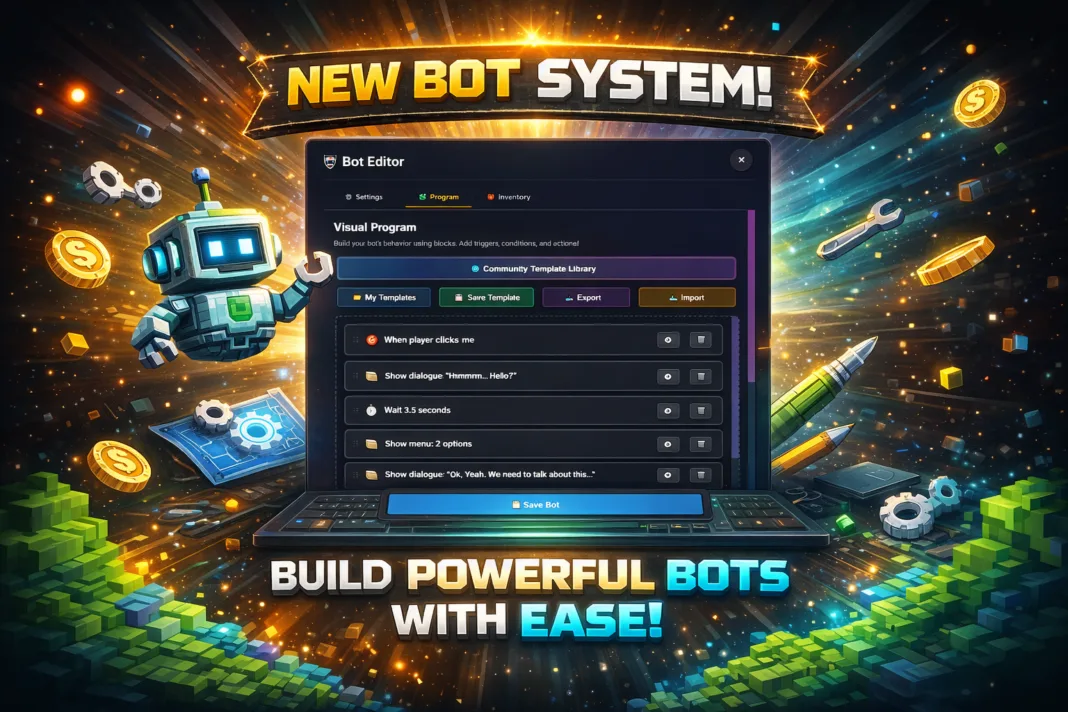

Lunc Tools World introduces a powerful and intuitive Bot Builder designed to empower creators with no coding experience to build interactive bots for virtual environments. This visual programming system enables users to define bot behavior using drag-and-drop logic blocks, making it ideal for games, social hubs, and educational experiences.
Core Features
Visual Programming Interface
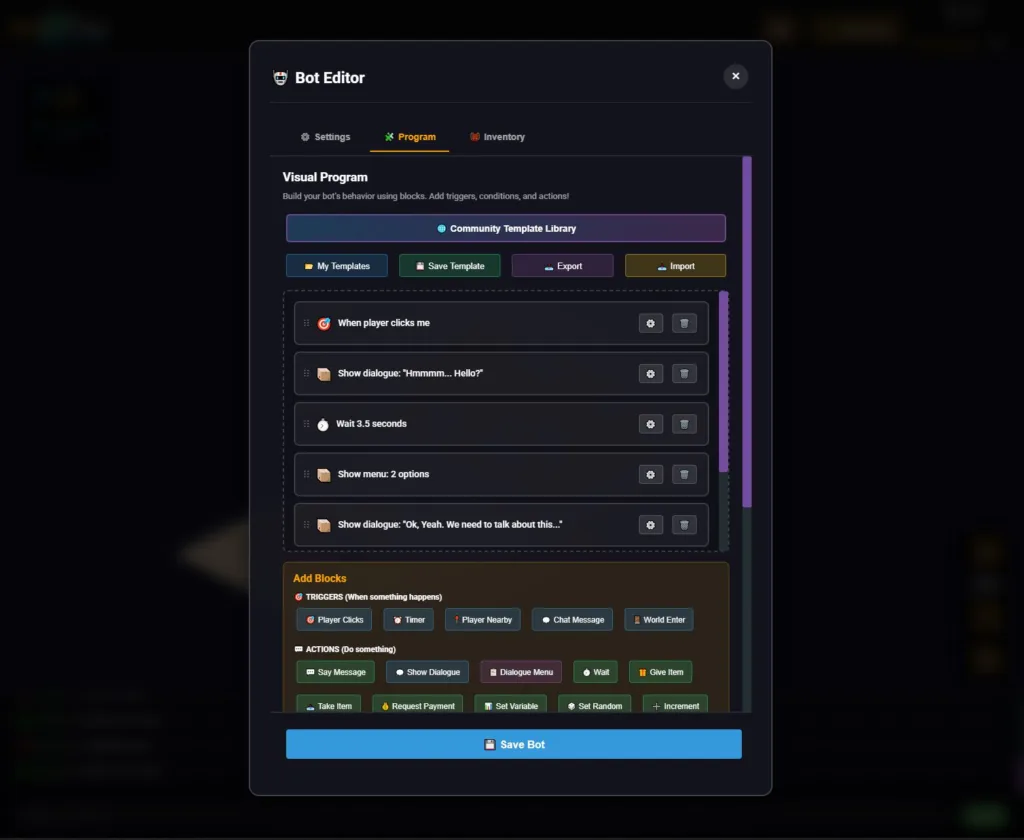
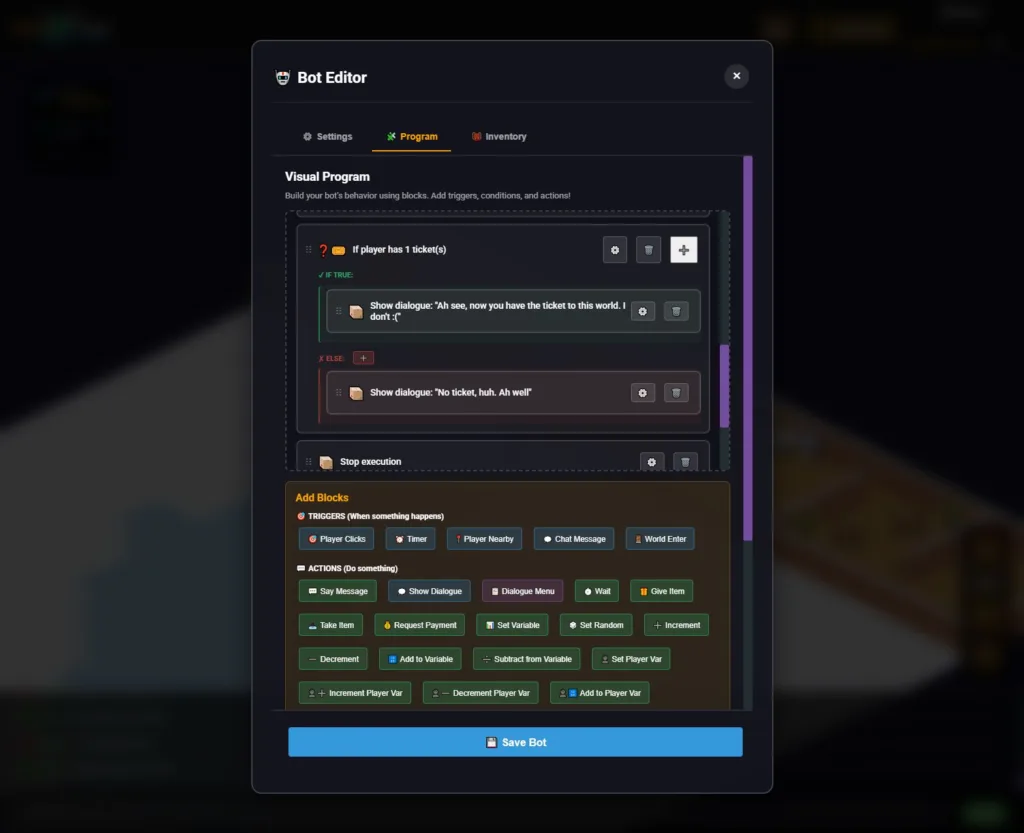
The Bot Builder is divided into three main tabs: Settings, Program, and Inventory. The Program tab is where users define bot behavior using a sequence of logic blocks. These blocks are categorized into:
- Triggers: Events that initiate bot actions (e.g., “Player Clicks”, “Player Nearby”, “World Enter”).
- Actions: Responses the bot performs (e.g., “Show Dialogue”, “Give Item”, “Teleport Player”).
- Conditions: Logic checks that guide branching behavior (e.g., “If player has ticket”, “Variable > 5”).
Dialogue and Interaction Blocks
Users can create immersive conversations using:
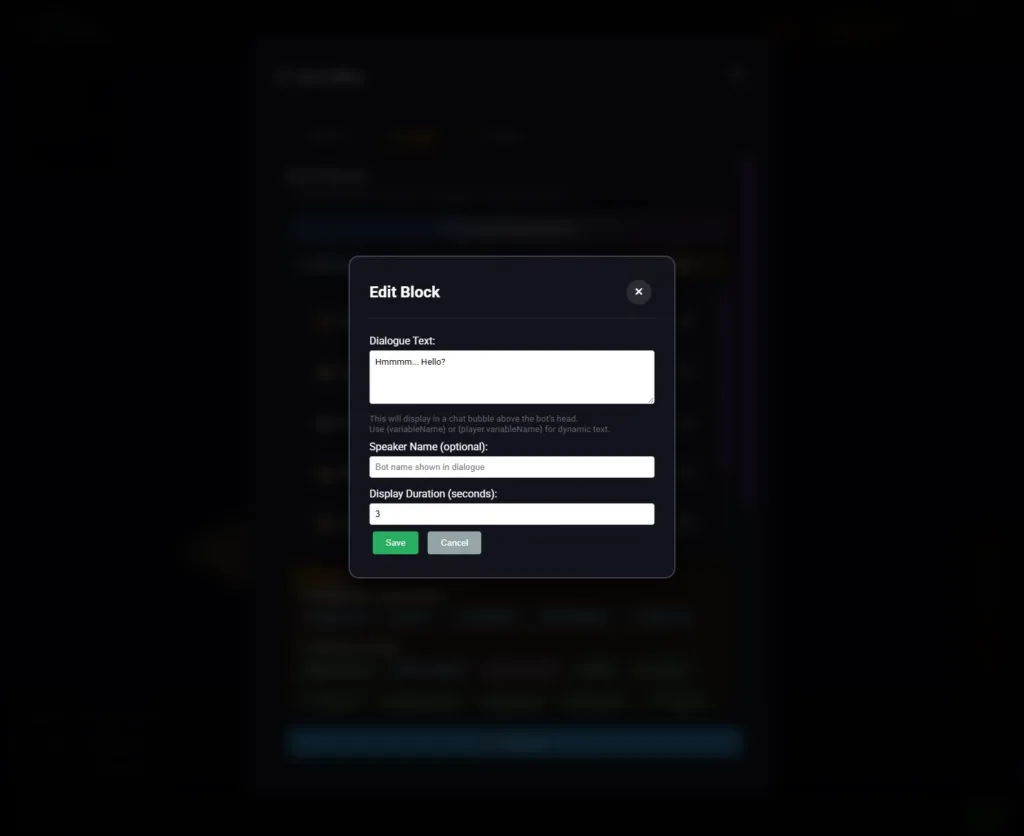
- Show Dialogue: Displays text in a chat bubble above the bot.
- Dialogue Menu: Presents multiple options for player choice.
- Wait: Adds timed pauses between actions for pacing.
Dynamic text can be inserted using variables like {player.name} or {variableName} to personalize interactions.
Inventory and Variables
Bots can manage items and track player progress using:
- Give/Take Item: Controls inventory exchanges.
- Set/Increment Variables: Tracks state and progress.
- Player Variables: Stores data specific to each user.
Template Library and Global Sharing
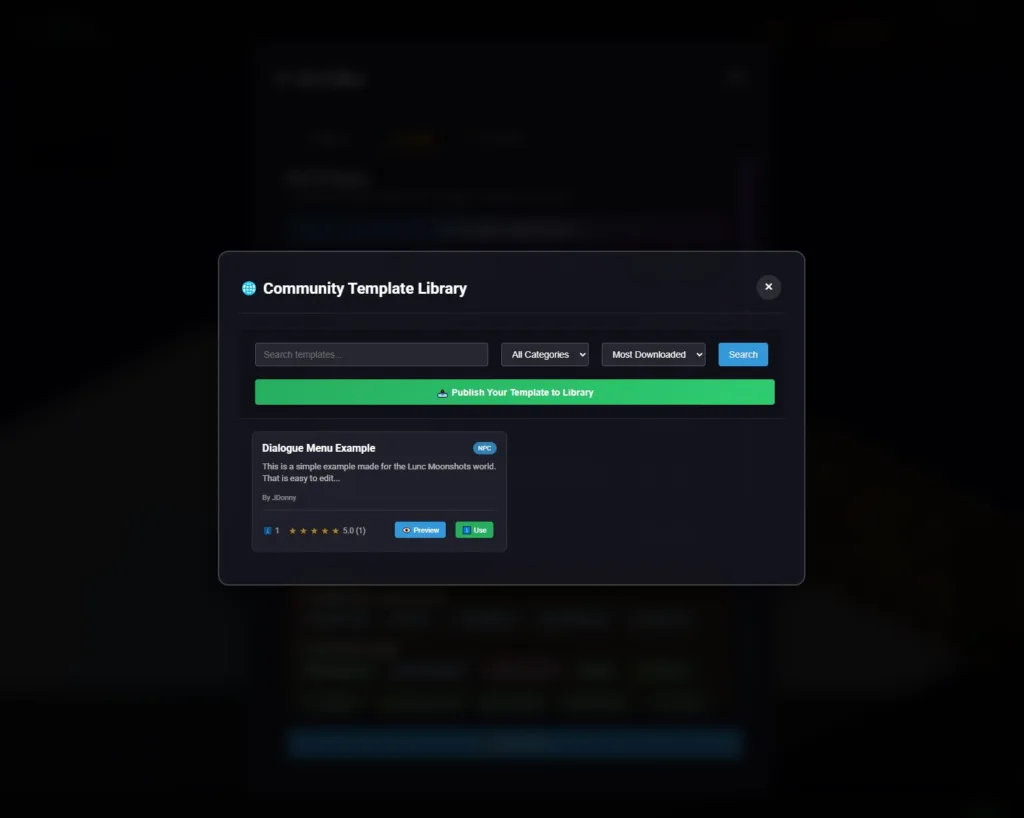
Lunc Tools World now includes a Community Template Library, allowing users to:
- Browse Templates: Filter by category and popularity.
- Preview and Use: Instantly load templates into the Bot Editor.
- Publish Templates: Share custom bot logic with the community.
Templates like “Dialogue Menu Example” showcase reusable interaction systems that can be adapted for different bots.
Example Use Case
A bot might greet players when they approach, offer dialogue options, check if they hold a ticket, and respond accordingly:
Trigger: When player within 2 tiles
  → Show dialogue: "Hi! Hello there traveler."
Trigger: When player clicks me
  → Show dialogue: "Welcome to Lune Moonshots World! Would you like to know more?"
  → Wait 6.3 seconds
  → If player has 1 ticket(s)
      → Show dialogue: "Ah see, now you have the ticket to this world."
      → Stop execution
  → Else
      → Show dialogue: "No ticket, huh. Ah well"
      → Stop execution
Conclusion
The Lunc Tools World Bot Builder is a modular, scalable system for crafting interactive experiences. With its visual logic editor, dynamic dialogue tools, and community-driven template sharing, it transforms bot creation into an accessible and creative process for all users.
Create your bot now!
Create your own bot now at Lunc Tools World